
Development with on-premise AI in VS Code
Software development with AI is becoming more and more popular. AI can help developers write code faster, debug issues quicker, and improve overall productivity. However, in an environment where privacy and security are deep concerns such as UVic, we need to be more careful about how AI is used.
Concerns about existing code generation products
You’re probably familar with popular code generation software such Copilot, Cursor and Claude Code. They are used widely within the industry. More and more companies small to large are adopting these tools. These tools are fast, they give amazing recommendations–they provide benefits.
We need to be careful about our use of AI: as a research and teaching institution, our community members, research efforts and outcomes, and institutional knowledge are all worth protecting. Giving an external AI access to this information without guarantees of safety would be a failure of responsibility.
Regardless, we want to capture the benefits of AI as much as we can without jeoperdizing our responsibility to protect our community.
The solution
Luckily, a small on-premise Ollama server became available to us. We did some experiments on it–installing and running open-source LLMs, using it for log monitoring, etc. Maybe we can take advantage of this server.
So we have an on-premise Ollama server that is for sure private to us. We have VS Code that we’ve been using on a daily basis and we can trust (probably?). Now we just need to find a way for VS Code to talk to the server.
Introduce Continue
After millions of Google searches, I’ve came across Continue. This is an open-source VS Code extension that works similarly to Copilot, but allows you to configure your own Ollama server as your “pair programmer”. Here are the most important features of Continue:
- It supports 100% local development–You can use it so long as your Ollama server is available to your machine, whether it’s running on your laptop or on a server on your private network. The other critical piece is Ollama itself does not require third-party services outside your network and outside your control
- It provides Copilot-like features such as tab completion, inline editing, code generation from chat and many more
- Its source code is fully open-sourced so we can inspect it, fork it and maintain our own version of it
This seems like exactly what we’re looking for.
Install Continue
Let’s try it out. Start by installing Continue from the VS Code Marketplace. It should be the first result.
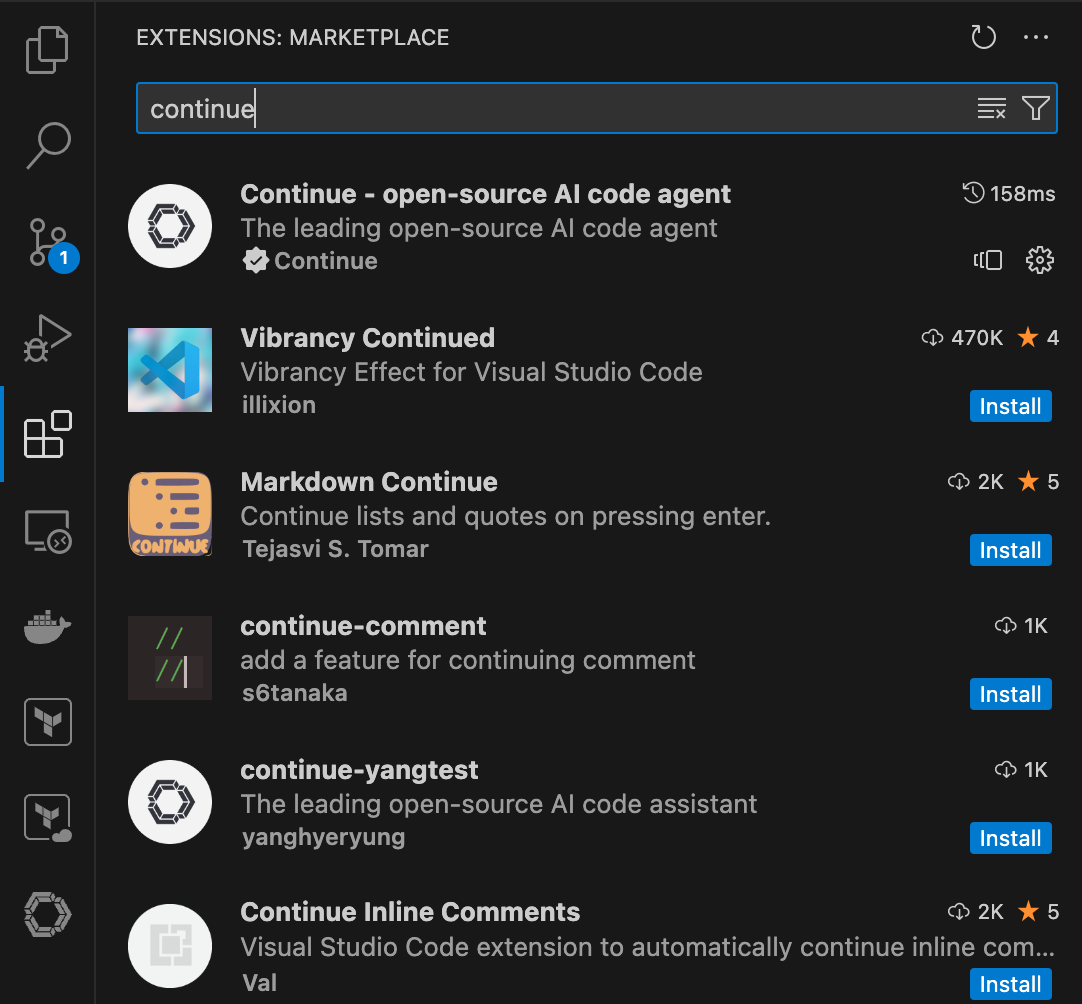
Configure Continue
Configuration file
Now, let’s configure Continue. We interact with our Ollama server through an internal Open WebUI portal. Assuming you’ve obtained an API key from the WebUI server, create ~/.continue/agents/my-ollama-config.yaml:
name: My Ollama Config
version: 1.0.0
schema: v1
models:
  - name: qwen3:latest
    provider: ollama
    model: qwen3:latest             # Change model if you want
    roles:
      - chat
      - edit
      - apply
    apiBase: https://<webui_url>/ollama
    apiKey: <api_key>               # Put your API key here
  - name: qwen2.5-coder:latest
    provider: ollama
    model: qwen2.5-coder:latest     # Change model if you want
    roles:
      - autocomplete
    apiBase: https://<webui_url>/ollama
    apiKey: <api_key>               # Put your API key here
    autocompleteOptions:
      debounceDelay: 1000
The full reference for the config file is here. The config above:
- Sets
qwen3:latestas the model that we will interact with in the chat interface - Sets
qwen2.5-coder:latestas the model that generates code for tab completions.
Update .gitignore_global
To ensure that we never track our confidential config file in git, let’s update ~/.gitignore_global:
# Other items

# Continue
.continue/
Turn off “Allow Anonymous Telemetry”
To ensure 100% local development without any data collection from Continue, click on Continue at the bottom right of VS Code -> Open settings -> Look at Telemetry section and turn off Allow Anonymous Telemetry.
According to their documention about Telemetry, they do not collect anything sensitive anyway. This is more of an extra careful step.
Try out Continue
It’s time to try out Continue to see how good it is.
Try out chat
Try out tab completion
Try out inline-editing
Conclusion
One immediate improvement is to upgrade the models in Ollama. We are currently using qwen3 and qwen2.5-coder, which are outdated. With our available resources, we can upgrade to qwen3-coder and glm-4.7-flash which provide much better agentic capabilities.
With the Continue extension in VS Code, we can now develop with a fully local AI agent. The performance is of course not as good as cloud-based solutions as we use smaller models with less capabilities. However, it’s still a great tool for developers who want to start integrating AI into their day-to-day work.